
If you can’t find the answer you are looking for you can create a support ticket using the support button on the left hand of the screen when you are logged into the Planergy app and our support team will help you.
- On the Home page, press Support.
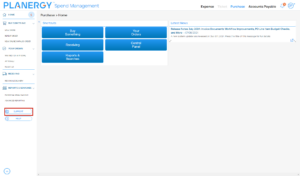 The Support Form is displayed.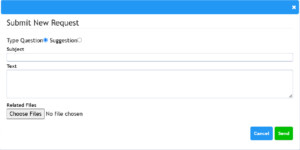
How to View Your Support Tickets
The Support Tickets area centralizes all your requests for assistance, questions, and issue reports.
- Press the Profile icon in the top right corner of the HOME page.

The profile menu is displayed.
- Press the User Settings in the profile menu.
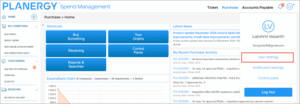
The Edit User Settings page is displayed.
- Scroll down the page to the Support Tickets Submitted by You section.
You can view all the tickets you have submitted and their current status.

- Press the Profile icon in the top right corner of the HOME page.